
What Is a Holiday Light Show Sequence? A Clear Guide

A holiday light show script is a digital sequence file that instructs lighting controllers exactly when and how to animate specific lighting channels in sync with music. These files, commonly saved in formats like .fseq, contain timing data, channel assignments, and effect parameters that can control thousands of individual LEDs simultaneously. Think of it as sheet music for your lights: every flash, fade, and color change is written out in advance and played back precisely. Understanding what a holiday light show script does is the first step toward creating a display that genuinely wows your neighbors.
What is a holiday light show script/sequence and how does it work?
A holiday light show script is the control layer between your music and your lights. Without it, your display is just static decoration. With it, every roofline, bush, and prop responds to the beat of a song in a coordinated, repeatable performance.
The script communicates with a lighting controller through a show player device, such as a Raspberry Pi running Falcon Player. The controller reads the script file and sends electrical signals to each light string or pixel group at the exact millisecond specified. This is what separates a synchronized light show from a simple timer-controlled display.
Scripts also store effect parameters, not just on/off states. A single channel entry in the file might say: “fade from red to white over 500 milliseconds, starting at beat 32.” That level of detail is what produces the smooth, musical animations you see in professional-grade home displays.
How does the creation process for a holiday light show sequence work?
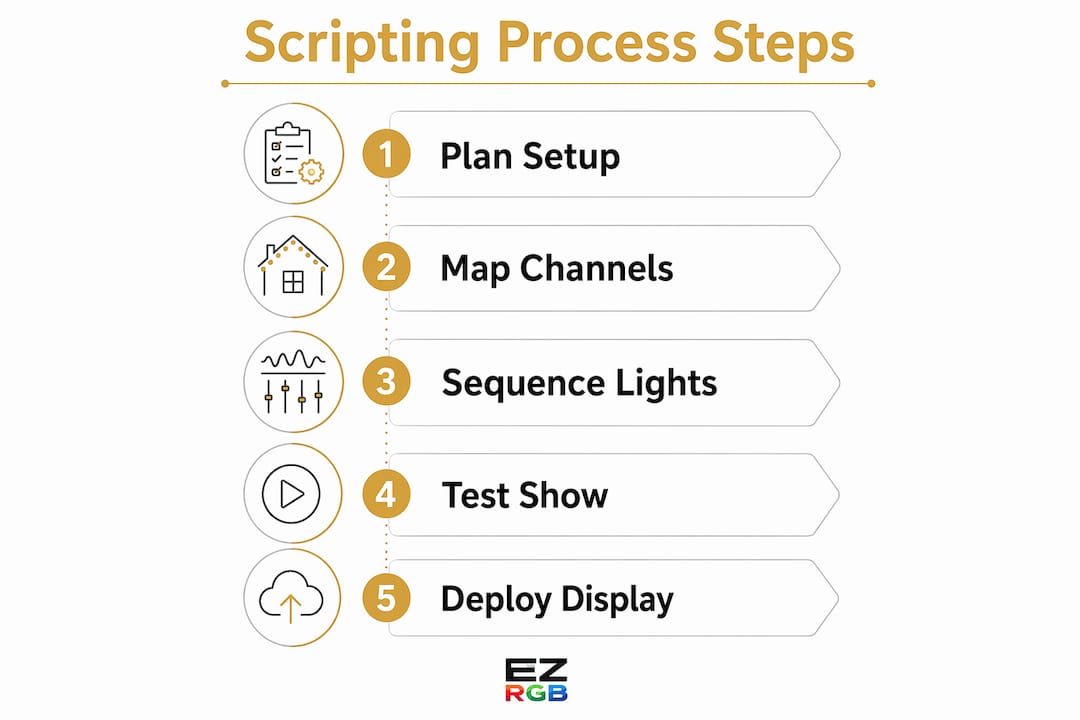
Building a script follows a clear four-step workflow. Each step builds on the last, so skipping ahead creates problems later.
-
Select your audio track. Choose a song with a clear beat structure. Songs with strong downbeats and defined sections give you natural cue points for effects.
-
Import your property layout. Sequencing software like xLights Each prop maps to a real-world light string or pixel group.
-
Plot effects on the timeline. With your layout in place, you drag effects onto a music timeline. The software shows the audio waveform so you can align flashes, chases, and fades to specific beats. Recommended frame intervals are around 25 milliseconds for smooth transitions. That interval produces 40 frames per second, which is enough to make motion effects look fluid rather than choppy.
-
Export and deploy the script. The software exports your work as a sequence file, which you transfer to your show player. The show player reads the file and drives the lights in real time during the performance.
Pro Tip: Record a short video of your physical setup before you start sequencing. Use it as a reference while mapping virtual props to real light positions. Mismatches between the digital layout and the physical wiring are the most common cause of show errors.
What technical components are essential to understand?
Scripting involves a handful of core concepts. Getting comfortable with these terms makes the whole process much less confusing.
-
Channels: A channel controls one or more light strings as a unified unit. Effects applied to a channel tell those lights when to turn on, off, fade, or change color. Multiple channels working together create complex effects like chases and color waves.
-
Pixel mapping: Individual addressable LEDs, called pixels, each have their own channel address. Grouping pixels by prop or by color zone lets you apply sweeping effects across large areas without programming each pixel individually.
-
Effects library: Common effects include chases (lights traveling in sequence), pulses (rhythmic on/off bursts), and color fades (gradual transitions between hues). Most sequencing software includes a built-in effects library you can drag onto the timeline.
-
Show players and controllers: The show player is the hardware that reads your script file and sends output signals. The lighting controller translates those signals into voltage changes that drive the physical lights.
-
Patching: Patching is the process of mapping software channels to physical wiring. A mismatch here causes lights to fire in the wrong order or at the wrong time. Careful patching is the single most important technical step in the entire workflow.
| Component | Function | Common Example |
|---|---|---|
| Channel | Controls a group of lights as one unit | A roofline string mapped to channel 1 |
| Pixel | Individual addressable LED | Single node in a pixel strip |
| Show player | Reads and plays the script file | Raspberry Pi with EZPlayer |
| Controller | Converts signals to light output | E1.31 or DDP controller |
| Effect | Defines how a channel animates | Chase, pulse, color fade |
Pro Tip: Always verify your patch map against your physical wiring before running a full show. Power on each channel individually in your software and confirm the correct physical string responds. This takes 20 minutes and saves hours of troubleshooting.
What practical tips help create engaging holiday light show scripts?
The best shows balance technical precision with viewer experience. A display that fires every effect at full intensity for three minutes straight will tire your audience before the song ends.
“Successful shows focus on viewer experience by balancing display elements and avoiding visual overload. Spreading effects across rooflines, bushes, and props maintains interest without fatigue. Pacing and grouping are the two most effective tools for keeping an audience engaged from the first beat to the last.”
Here are the principles that experienced decorators apply consistently:
-
Group logically. Grouping large numbers of pixels by prop or color zone reduces programming time dramatically. This approach can cut a 80-hour detailed job down to roughly 40 hours by automating repetitive sequences across grouped units.
-
Balance your layout. Draw attention to different areas of your property at different moments. A roofline chase followed by a bush pulse followed by a window flicker creates a sense of movement across the whole display.
-
Match pacing to music energy. Slow, melodic sections call for gentle fades and soft color shifts. High-energy choruses support fast chases and bright flashes. Matching effect speed to musical tempo is what makes a show feel choreographed rather than random.
-
Use restraint. Leaving some channels dark during quieter passages makes the bright moments hit harder. Contrast is one of the most powerful tools in light show design.
-
Explore creative lighting ideas from home decor and lighting design resources to find color combinations and spatial arrangements you might not have considered for your property.
How can beginners write their first holiday light show sequence?
Starting small is the right call. A two-minute song with a simple prop layout is a complete, satisfying first project. Trying to script a six-minute medley across 20 props on your first attempt leads to frustration, not a finished show.
Follow this sequence for your first script:
-
Choose a short, familiar song. Two minutes is ideal. Pick something with a clear verse-chorus structure so you have natural sections to work with.
-
Map three to five props only. A roofline, two bushes, and a pair of window frames give you enough variety to create interesting effects without overwhelming your timeline.
-
Test on your actual hardware early. Do not wait until the show is complete to run it on your lights. Test after every major section so you catch patching errors and timing issues while they are still easy to fix.
-
Iterate and refine. Watch your show from the street, the same vantage point your audience will use. What looks great on screen sometimes reads differently outdoors. Adjust brightness, effect speed, and color balance based on what you see in person.
Sequencing a simple 2-minute song manually takes 40–60 hours for a first-time creator. That number drops significantly increases with experience do to doing more than basic effects. Set realistic expectations for your first project and treat it as a learning experience, not a finished product.
Pro Tip: Save a backup copy of your sequence file before every editing session. Sequencing software can crash, and losing two hours of work on a complex timeline is genuinely discouraging. A simple dated folder system keeps your versions organized.
You can also explore the EZRGB animated display guide for practical advice on setting up your physical hardware before you start scripting.
Key Takeaways
A holiday light show script is a digital sequence file that coordinates light effects with music through precise channel timing, and getting the patching and pacing right determines whether your show succeeds.
| Point | Details |
|---|---|
| Sequence definition | A sequence is a digital file that tells controllers when and how to animate each light channel in sync with music. |
| Four-step workflow | Select audio, map your layout, plot effects on a timeline, then export and deploy the script file. |
| Patching accuracy | Matching software channel assignments to physical wiring is the most critical technical step to avoid show errors. |
| Pixel grouping saves time | Grouping pixels by prop or color zone can reduce a 80-hour programming job to roughly 40 hours. |
| Beginners start small | A two-minute song with three to five props is a complete first project that builds real sequencing skills. |
What we have learned from building holiday light shows
The single biggest mistake new creators make is skipping the layout verification step. You can spend 10 hours building a beautiful sequence, and if your patch map does not match your physical wiring, the show looks like random noise. We have seen this happen repeatedly, and the fix is always the same: slow down at the patching stage and test each channel individually before you sequence a single effect.
Pacing is the second thing most beginners underestimate. The instinct is to fill every moment with activity. The shows that actually hold an audience’s attention use silence and darkness deliberately. A two-second pause before a big chorus drop creates anticipation. That anticipation makes the payoff feel earned.
The creative side of scripting rewards experimentation. Try running a color fade across your entire roofline in a single pass and watch how it reads from the street. Try a prop-by-prop cascade effect during a quiet bridge section. These are the moments that make neighbors stop their cars. Technical discipline gets your show running. Creative curiosity makes it worth watching.
— EZRGB Team
Build your show with EZRGB
Putting together a holiday light show is much more manageable when your hardware and software work together from the start.
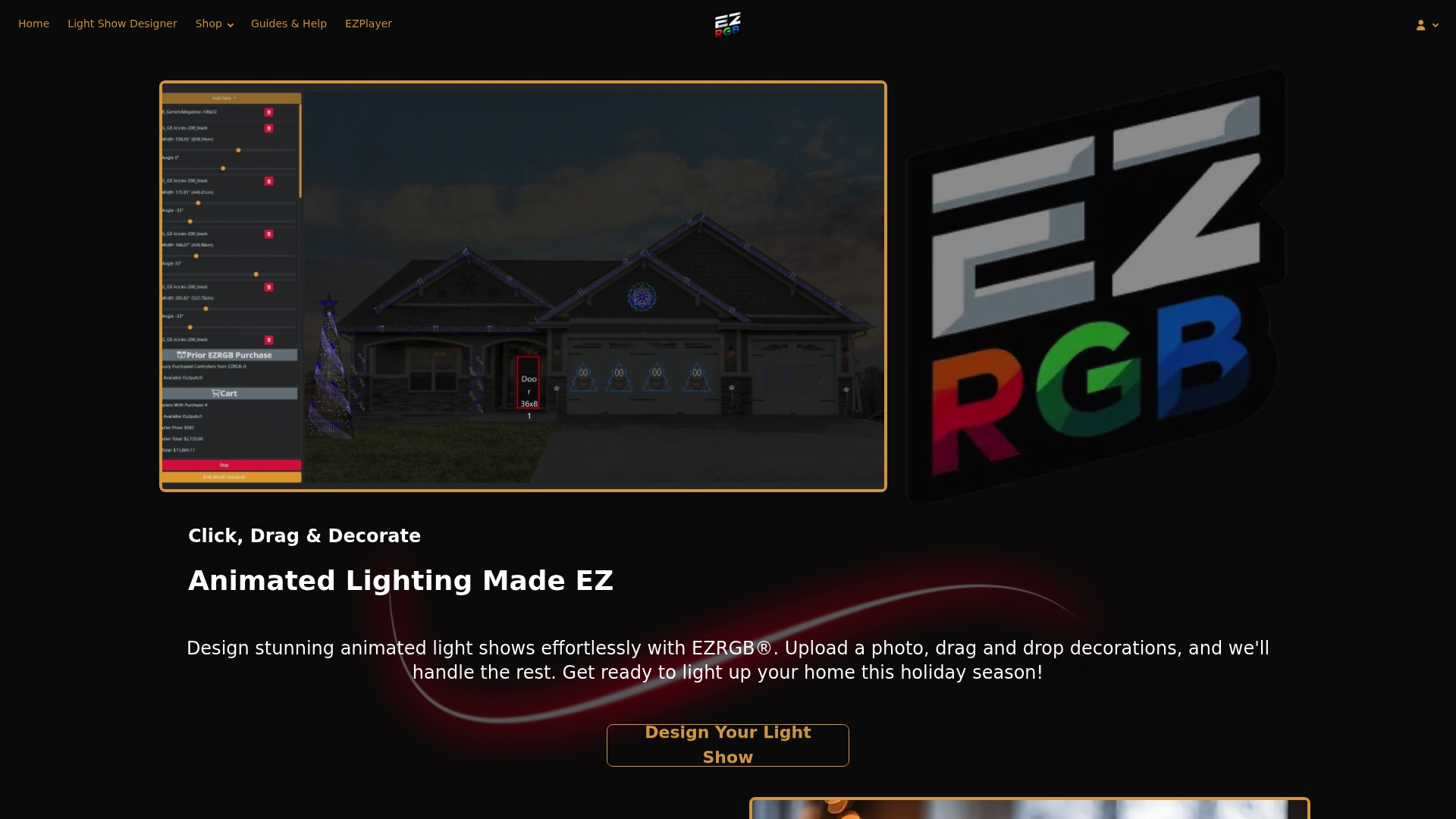
EZRGB’s Light Show Designer lets you upload a photo of your home, drag and drop props onto it, and sync everything to your chosen music track without writing a single line of code. The platform includes preinstalled pixel lighting props and themed kits, so your physical setup matches your digital layout from day one. Browse the full range of holiday display tools and find the kit that fits your property. When you are ready to go deeper, the EZRGB guides library covers everything from first-time setup to advanced sequencing techniques.
FAQ
What file format does a holiday light show script use?
Holiday light show scripts most commonly use the .xsq format, which stores timing data, channel assignments, and effect parameters. Some platforms also use .fseq files for playback on show player devices like Falcon Player.
How long does it take to write a light show script?
A first-time creator typically spends 60-80 hours sequencing a simple 2-minute song manually. AI-assisted tools that detect bars & beats
Do I need special software to write a light show script?
Yes. Sequencing software like xLights is a tool for creating holiday light show sequences. It handles layout, timeline editing, and sequence export in one application.
What causes a holiday light show to run incorrectly?
The most common cause is a mismatch between the software channel layout and the physical wiring, known as a patching error. Verifying each channel against its physical light string before sequencing prevents most show errors.
Can beginners create their own holiday light show script?
Yes. Starting with a short song, a small number of props, and community-shared sequence templates makes the first project achievable. Testing on actual hardware early and iterating based on real-world viewing keeps the process manageable. For those that don’t want to program their own you can use EZRGB sequences. They render in the cloud, auto download to your EZPlayer, and you can enjoy a pro show in seconds.
